
OneKey Hardware Wallet Safe Buying Guide
How to Buy a OneKey Hardware Wallet Safely: Official Site Walkthrough
Buying a crypto hardware wallet requires strict attention to supply chain security. Ordering through unauthorized resellers, third-party online marketplaces, or unverified listings exposes your private keys to physical supply chain attacks, rogue firmware modifications, and compromised seed cards.
To preserve self-custody integrity, hardware wallets must be purchased directly from the manufacturer’s official web store.
Supply Chain Security: Why Buying Direct Is Non-Negotiable
A hardware wallet isolates cryptographic private keys from internet-connected devices. However, if a malicious actor intercepts or tampers with the device before it reaches your hands, the hardware boundary is broken.
Risks of Third-Party Marketplaces
- Pre-seeded Recovery Cards: Fraudulent sellers generate seed phrases in advance, place the pre-filled paper in the box, and wait for users to deposit funds.
- Hardware Interception: Bad actors can open device casings, install rogue chips or keyloggers, and re-seal the packaging using custom shrink-wrap.
- Firmware Tampering: Unofficial vendors may flash modified, malicious firmware designed to leak seed phrases over Bluetooth or USB connections.
Rule of Self-Custody Security: Always source hardware security modules (HSMs) directly from official manufacturer domain infrastructure with trackable shipping.
Official OneKey Purchase Walkthrough
1.Navigate to Official Store:Avoid phishing links and search ad redirects.
Access the store strictly via official links. Select the Hardware Wallet category from the top navigation bar to view authentic device models.
2.Select Your Device Model:Compare OneKey Pro, Classic 1S, or Classic 1 Pure.
Review specs and select your preferred device. Ensure you evaluate any active promotional bundles or apply a 10% affiliate discount link at checkout.
3.Configure Cart & Skip Unnecessary Add-ons:Avoid redundant warranty costs.
Click Buy and proceed to your bag. Optional protection covers or extended warranty add-ons can be safely skipped unless required for your setup.
4.Enter Shipping Information:Use full legal details for customs clearance.
Input your full name, email address, physical delivery address, postal code, and phone number. Ensure precision to avoid regional customs delays.
5.Select Trackable Shipping Tier:Choose based on speed and security requirements.
Select standard or express delivery based on your required timeline and tracking preference.
6.Complete On-Chain or Fiat Checkout:Pay via Credit Card, PayPal, or Crypto (USDT).
Choose your payment method. For crypto checkout, send exact USDT amounts via web3 wallets or exchange accounts to the generated order address.
Hardware Wallet Model Overview
| Parameter | OneKey Pro | OneKey Classic 1S | OneKey Classic 1 Pure |
| Primary Target | Advanced Web3 power users | Everyday self-custody | Budget security setup |
| Form Factor | Touchscreen + Biometric | Compact button interface | Minimalist core device |
| Connectivity | Air-gapped QR, Bluetooth, USB-C | Bluetooth, USB-C | USB-C / Basic Bluetooth |
| Key Advantage | Biometric signing & large display | Lightweight & highly portable | Low cost entry point |
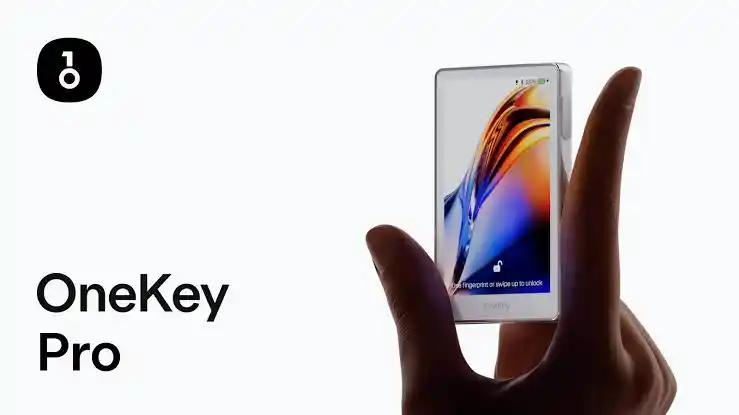
OneKey Pro with touchscreen. Source: OneKey / OneKey Pro | Air-Gap Fingerprint Cold Wallet
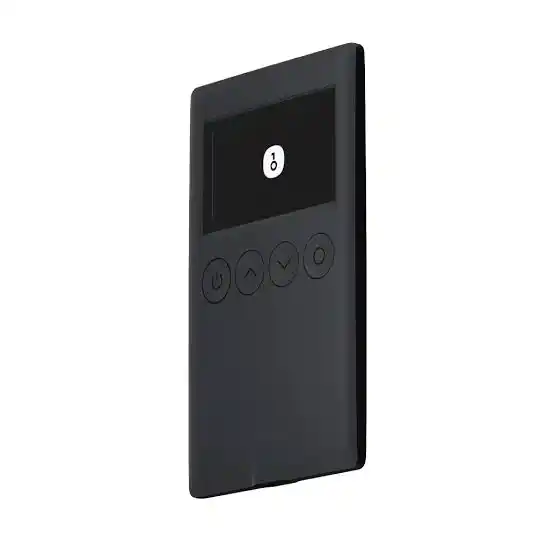
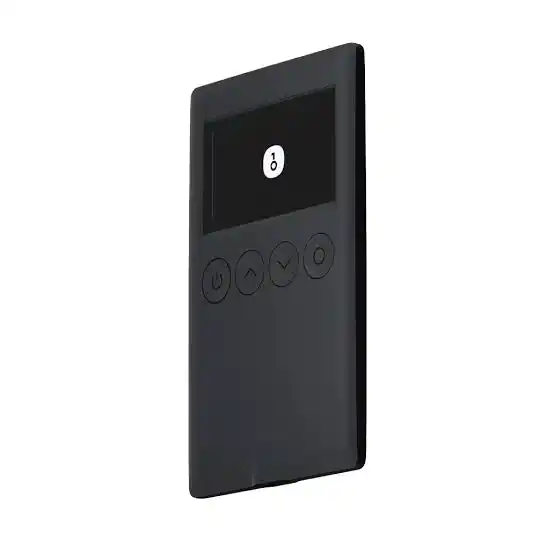
OneKey Classic 1S compact model. Source: OneKey / OneKey Classic 1S | Open-Source Cold Wallet
Shipping Options Comparison
When ordering hardware devices internationally, shipping selection directly impacts supply chain visibility.
| Shipping Tier | Estimated Delivery | Best Used For |
| Economy Shipping | 25 – 35 Days | Low-priority standard orders |
| Standard Shipping | 7 – 18 Days | Balanced cost and delivery time |
| Express Global Shipping ($28) | 5 – 8 Days | Maximum tracking visibility & minimal transit exposure |
How to Pay for OneKey Using USDT (On-Chain Checkout)
OneKey supports direct cryptocurrency settlement at checkout, allowing users to pay with USDT via web3 wallets like MetaMask and Trust Wallet, or centralized exchanges like Bybit.
- Select Crypto Payment at the checkout screen.
- Choose USDT and your preferred blockchain network.
- Copy the dynamically generated deposit address and exact invoice amount.
- Open your wallet or exchange app, paste the payment address, verify the network match, and broadcast the transaction.
- The order automatically confirms once network nodes process the payment.
Video Guide: Official Store Order Process
Watch the official step-by-step walkthrough demonstrating how to navigate the store, verify promos, and complete your hardware order safely.
Time Stamp
- 0:00 — Supply Chain Security: Why You Must Buy Directly from OneKey
Learn why buying directly from the official OneKey website helps reduce the risk of counterfeit or tampered hardware wallets. - 0:18 — Website Navigation: Accessing the Official Hardware Wallet Shop
See how to navigate the OneKey website and locate the official hardware wallet section. - 0:30 — Model Comparison & Bonus Promos: OneKey Pro vs. Classic 1S
Compare available OneKey models and see the promotional offers available at the time of the walkthrough. - 1:00 — How to Activate the 10% Lifetime Affiliate Discount Link
Learn how the discount link works and when it can be used after promotional offers end. - 1:19 — Adding the OneKey Classic 1S to Your Shopping Cart
Follow the steps for selecting the OneKey Classic 1S and adding it to your shopping cart. - 1:46 — Optional Add-ons: Skipping Accessory Cases and Warranties
See how to review optional accessories and decide whether to add them to your order. - 1:57 — Checking Out: Entering Shipping Address and Contact Details
Learn what information you need to provide during checkout, including your name, address, and phone number. - 2:23 — Comparing Delivery Options: Standard vs. Express Global Shipping
Compare the available shipping speeds and understand the different delivery options shown during checkout. - 2:44 — Choosing Payment Methods: Credit Cards, PayPal, and Google Pay
Review the available traditional payment methods, including cards, PayPal, and Google Pay. - 2:50 — On-Chain Checkout: How to Pay Using USDT Stablecoins
See how USDT can be used to pay for the OneKey wallet through a crypto wallet or exchange.
Frequently Asked Questions
Why should I avoid buying a OneKey wallet on Amazon or eBay?
Third-party marketplaces carry supply chain tampering risks. Unauthorized sellers may pre-configure recovery seeds or alter internal hardware. Buying direct guarantees supply chain integrity from factory to delivery.
Can I stack a promo offer with a 10% referral discount code?
Promotions and referral discount codes cannot be stacked simultaneously. If an active site-wide promo is running, it applies automatically. Otherwise, using an official referral link applies a 10% discount at checkout.
How do I pay using crypto on the OneKey store?
Choose the crypto payment option at checkout, select USDT, copy the displayed address, and transfer the exact amount from MetaMask, Trust Wallet, or exchange accounts like Bybit.
What should I do when my OneKey device arrives?
Inspect the physical box for tamper-evident packaging, confirm the device screen generates a brand-new 12 or 24-word recovery phrase, and verify device authenticity via the official OneKey app during initial setup.
Sources & References
- OneKey Official Website: [https://onekey.so](https://onekey.so)
- ASK JOFA YouTube Channel: [https://www.youtube.com/@askjofa](https://www.youtube.com/@askjofa)

John Ajiboye
Founder, ASK JOFA Digital · Creator of ASK JOFA Fintech · Architect of LAAS™
John Ajiboye is a digital marketing strategist, former institutional banker with 19+ years of experience, and founder of ASK JOFA Digital. Holding an M.Sc. in Computer Science, he combines deep financial discipline, technical architecture, and video marketing to build predictable lead-acquisition engines.
John is the creator of ASK JOFA, a leading fintech education platform and YouTube channel with over 31,000 subscribers. His channel provides step-by-step tutorials on digital finance, payment gateways, hardware wallets, and crypto platforms. He has executed successful content and acquisition campaigns for international brands including AirTM, Bybit, Gate.io, OneKey, ApexPay, PST, and Spend.Net.
Building on his success with organic search and video marketing, John developed LAAS™ (Lead Authority & Acquisition System)—a framework designed to help SMEs, consultants, and professionals build multi-channel visibility across YouTube, search engines, AI answer engines (AEO/GEO), and LinkedIn.
Through ASK JOFA Digital, John transforms expertise into automated media assets that attract high-intent leads and build lasting market trust—without relying on short-lived ad spend or social media virality. His systems are engineered to produce clear, actionable outcomes: helping professionals Get Hired™, consultants Get Clients™, and SMEs Get Customers™.