
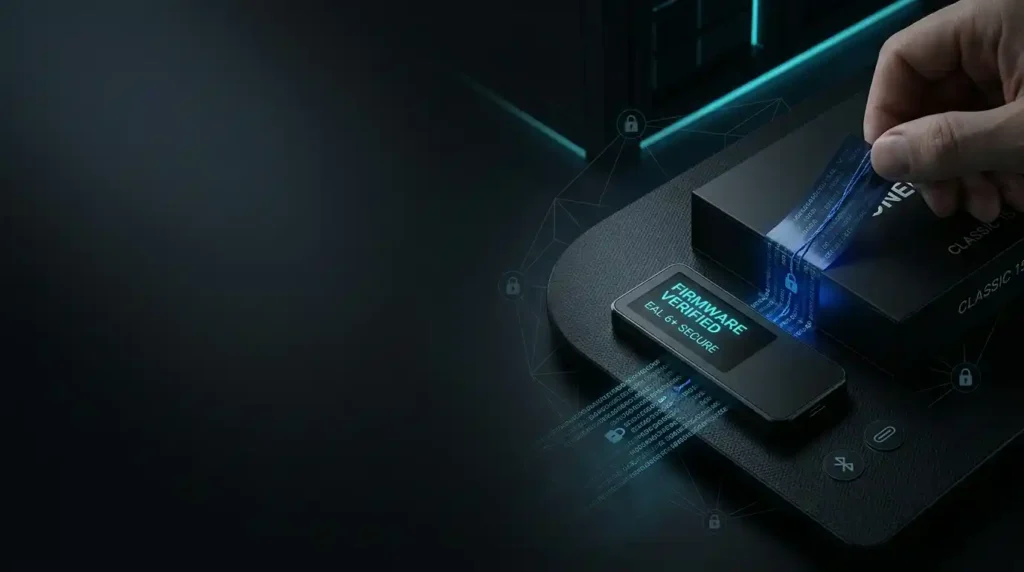
OneKey Classic 1S Unboxing & Anti-Tamper Security Audit
OneKey Classic 1S Unboxing & Security Guide: How to Prevent Supply Chain Attacks Before Storing Crypto
Hardware wallets are widely considered the gold standard for self-custody in Web3, providing an isolated environment that keeps private keys offline and away from connected threats. However, physical security does not start when you plug the device into your computer—it starts the moment the parcel arrives at your doorstep.
If a hardware wallet is intercepted, modified, or tampered with before reaching you, its security guarantees are entirely compromised.
This guide breaks down the essential security verification process for the OneKey Classic 1S. Combining first-hand unboxing observations, technical specifications, and hardware security best practices, this article walks through physical packaging audits, seed phrase verification, firmware validation, and safe purchasing channels to protect your digital assets.
Timestamp
Quick Summary: OneKey Classic 1S Overview
| Parameter | Specification & Technical Standard |
| Core Security Element | EAL 6+ Certified Secure Element |
| Retail Price | $99 USD |
| Physical Dimensions & Weight | 86 × 52 × 5.2 mm; 20.5 grams |
| Connectivity Rail | Bluetooth & USB Type-C |
| Display Specifications | 128×64 Monochrome OLED Screen |
| Supported Assets | 5,000+ Cryptocurrencies across multi-chain ecosystems |
| Battery Capacity | 110mAh (Rechargeable, multi-day casual use) |
| Core Utility | Multi-chain self-custody with integrated transaction risk scanning |
| Primary Risk Mitigation | Protection against physical extraction, supply chain tampering, and phishing |
What Is a Supply Chain Attack on a Hardware Wallet?
A supply chain attack on a hardware wallet occurs when a malicious actor intercepts, alters, or replaces a legitimate device between the manufacturing facility and the end consumer.
Unlike software exploits that target wallet code or smart contracts, supply chain attacks compromise the physical hardware or its pre-configuration state before you ever store funds on it.
Common hardware wallet supply chain vectors include:
- Pre-Generated Recovery Phrases: Inserting a card with pre-printed seed words inside the packaging so the attacker already controls the generated addresses.
- Physical Hardware Modification: Opening the device housing to implant malicious microcontrollers or keyloggers designed to broadcast private keys.
- Flashed Malicious Firmware: Overwriting authentic factory firmware with altered code designed to display fraudulent deposit addresses or bypass PIN locks.
- Reseller Interception: Purchasing genuine devices, altering them, re-sealing the outer box using custom shrink-wrap, and re-selling them via unverified third-party marketplaces.
An EAL 6+ Secure Element protects keys against physical side-channel attacks, but it cannot protect you if you import a recovery phrase that an attacker already possesses.
Physical Packaging Audit: Step-by-Step Inspection
When receiving a OneKey Classic 1S—or any hardware wallet—perform a thorough physical audit before opening the internal components.
1. Outer Cellophane & Security Tape
Inspect the external plastic wrap and sealing tape. Authentic OneKey packaging uses specialized string-reinforced tape around the box edges [00:01:01].
- Check for Void Markings: Verify that the cellotape or security tape has not been pulled back, showing “VOID” pattern disclosures.
- Inspect Seams: Ensure there are no signs of secondary adhesive, hot glue residue, or sliced cellophane seams.
2. Laser Security Seal Audit
Look at the dedicated security seal located at the bottom or opening seam of the box [00:01:17].
- The laser hologram or security sticker must be completely intact.
- It must not be cut, peeled, folded back, or re-attached.
- Action Required: If any seal appears tampered with or damaged, do not initialize the device. Stop immediately and contact OneKey support
[00:01:36].
Unboxing the OneKey Classic 1S: Package Contents
Inside an authentic OneKey Classic 1S box, you should find the following items [00:02:12]:
- 1 OneKey Classic 1S Hardware Wallet (Sealed internal sleeve)
- 2 USB Type-C to USB-C / USB-A Cable
- 3 Three (3) Blank Paper Recovery Sheets
- 4 User Manual & Quick Start Documentation
- 5 OneKey Sticker Pack
The wallet itself weighs just 20.5 grams and measures 5.2 mm in thickness, offering a credit-card form factor designed for mobile portability.
The Recovery Sheet Red Flag: Identifying Seed Phrase Scams
The recovery sheet audit is one of the most critical steps during unboxing [00:03:07].
CRITICAL SECURITY RULE: Your hardware wallet’s recovery phrase (12 or 24 words) must ONLY be generated by the device itself on its internal OLED screen during initial power-on setup. It must NEVER arrive pre-printed on paper, cardstock, or digital media.
How to Inspect Your Recovery Cards:
- Open the included paper recovery booklet
[00:03:14]. - Inspect all three cards provided in the box
[00:03:23]. - Verify that every line on every card is completely blank.
If your device arrives with pre-printed words, scratch-off cards revealing a phrase, or a printed sheet claiming “Your secret seed is already configured,” your device has been compromised [00:03:37]. Anyone who holds those words holds full control over any crypto deposited into that wallet.
Firmware Authenticity & OneKey App Verification
Beyond physical checks, the OneKey architecture features cryptographic device authentication through the official OneKey App [00:04:09].
How Hardware Verification Works:
- Download the official OneKey App directly from
onekey.so(available for Windows, macOS, Linux, iOS, Android, and browser extensions). - Connect your OneKey Classic 1S via the supplied USB-C cable or pair it via Bluetooth.
- During setup, the OneKey App executes a challenge-response handshake with the internal EAL 6+ Secure Element.
- The software checks the cryptographic signature of the installed firmware against official release hashes
[00:04:16]. - If the firmware code has been altered, injected, or modified, the OneKey App raises an immediate security warning, preventing device initialization
[00:04:33].
How to Buy the OneKey Classic 1S Safely
To minimize supply chain risks, order hardware wallets through direct, verifiable channels.
- ✔ Direct Factory Ship
- ✔ Official Warranty
- ✔ Verified Logistics
- ❌ High Interception Risk
- ❌ Unverified Supply Chain
- ❌ Potential Modified Hardware
Safe Purchasing Protocols:
- Avoid Unverified Secondary Marketplaces: Do not buy hardware wallets from third-party resellers, auction sites, or unverified listings on platforms like eBay or Amazon
[00:04:58]. - Use Direct Official Links: Order directly from the official store at onekey.so.
- Select Trackable Shipping: Choose trackable delivery options to monitor your package from the warehouse to your address
[00:05:00].
Shipping Options & Payment Methods Overview
When purchasing from the official store, shipping and payment options typically include [00:06:46]:
- Standard / Free Shipping: 25–35 business days (depending on destination region).
- Express Trackable Shipping: 5–8 business days via global carriers (e.g., DHL, FedEx, UPS).
- Payment Flexibility: Credit/Debit Cards, PayPal, Google Pay, or direct cryptocurrency payments using USDT (via MetaMask, Trust Wallet, or centralized exchanges like Bybit)
[00:07:13].
OneKey Classic 1S vs. Popular Alternatives
When selecting a hardware wallet in the $50–$150 price range, evaluate device architecture, connectivity, and security certifications:
| Feature / Specification | OneKey Classic 1S | Ledger Nano X | Trezor Model One | SafePal S1 |
| Retail Price | $99 USD | $149 USD | $69 USD | $49 USD |
| Secure Element Rating | EAL 6+ | EAL 5+ | None (MCU Only) | EAL 5+ |
| Connectivity | Bluetooth & USB-C | Bluetooth & USB-C | USB-A/Micro-B Only | Camera (Air-gapped) / USB |
| Device Weight | 20.5g | 34g | 12g | 70g |
| Display Type | OLED (128×64) | OLED (128×64) | OLED (128×64) | 1.3″ Color Screen |
| Multi-Chain Support | 5,000+ Coins & Tokens | 5,000+ Coins & Tokens | Limited native coins | 20+ Blockchains |
| App Ecosystem | Cross-platform / Open Source | Ledger Live | Trezor Suite | SafePal App |
While alternatives like the Trezor Model One lack a dedicated Secure Element chip, the OneKey Classic 1S features an EAL 6+ Secure Element paired with Bluetooth compatibility at a competitive $99 price point.
The ASK JOFA Anti-Tamper Security Checklist
Before loading assets onto your hardware wallet, run through this five-step verification protocol:
-
Step 1: External Packaging & Cellophane Integrous
-
Step 2: Laser Security Seal Uncut & Intact
-
Step 3: All Included Seed Sheets Completely Blank
-
Step 4: Device Screen Generates Fresh 12/24-Word Seed
-
Step 5: Official App Authenticates Firmware Cryptographically
- Packaging Audit: Confirm the cellophane wrap and edge tape show no signs of tearing, secondary glue, or “VOID” disclosures
[00:07:56]. - Holographic Seal Check: Confirm the laser security sticker on the box opening is intact.
- Blank Recovery Sheet: Confirm that all paper recovery phrase sheets are 100% blank
[00:08:05]. - On-Device Seed Generation: Ensure your seed phrase is generated directly on the device’s OLED screen during initial setup.
- Software Attestation: Connect the device to the official OneKey App to confirm authentic factory firmware
[00:08:12].
Frequently Asked Questions (FAQs)
1. Is the OneKey Classic 1S safe from remote hacking?
Yes. The OneKey Classic 1S stores private keys inside an isolated EAL 6+ Secure Element. Private keys never leave the hardware device during transaction signing, protecting them from remote malware or keyloggers on your computer or smartphone.
2. What should I do if my box packaging or holographic seal arrives damaged?
If your package arrives with broken, cut, or modified security seals, do not plug the device into your computer or enter any funds. Take clear photos of the packaging and immediately contact official OneKey support (support.onekey.so) for a replacement [00:01:41].
3. Can I use the OneKey Classic 1S with third-party software like MetaMask?
Yes. The OneKey Classic 1S pairs with the official OneKey App and bridges directly to third-party Web3 wallets, including MetaMask, OKX Wallet, and browser extensions, allowing you to sign DeFi and NFT transactions securely.
4. What happens if I lose my OneKey Classic 1S physical device?
Your cryptocurrency is stored on the blockchain, not inside the physical wallet. As long as you have written down your 12 or 24-word recovery phrase on paper and kept it secret, you can restore your funds onto another OneKey device or any standard BIP39/BIP44 compliant wallet.
5. Why is Bluetooth connection secure on the OneKey Classic 1S?
Bluetooth is used solely to transport unsigned and signed transaction data between your smartphone and the hardware wallet. Private keys are permanently isolated inside the Secure Element chip and are never transmitted over Bluetooth or USB connections.
6. Can I pay for my OneKey hardware wallet using crypto?
Yes. Purchasing directly through the official store allows payments via credit cards, PayPal, Google Pay, and USDT payments directly from Web3 wallets like MetaMask, Trust Wallet, or centralized exchanges like Bybit [00:07:13].
Related Next-Step Guides
- Step 1: Complete device setup using the official OneKey App (
onekey.so/download). - Step 2: Learn how to send, receive, and verify addresses on an OLED display.
- Step 3: Connect your OneKey Classic 1S to MetaMask for secure DeFi interaction.
- Step 4: Backup strategies: Comparing paper seed sheets against steel recovery storage (e.g., OneKey KeyTag).
Sources & References
- Official Website: OneKey Official Store
- Technical Documentation: OneKey Developer & Hardware Docs
- Video Reference: ASK JOFA — OneKey Classic 1S Unboxing: Avoid Supply Chain Attacks (YouTube ID:
Tr4y7fR0tbk)
Related ASK JOFA Resources
- Hardware Wallet Security Standards & EAL Classifications
- How to Backup Recovery Phrases Safely Without Cloud Storage
- Self-Custody vs. Centralized Exchanges: Protecting Your Assets

John Ajiboye
Founder, ASK JOFA Digital · Creator of ASK JOFA Fintech · Architect of LAAS™
John Ajiboye is a digital marketing strategist, former institutional banker with 19+ years of experience, and founder of ASK JOFA Digital. Holding an M.Sc. in Computer Science, he combines deep financial discipline, technical architecture, and video marketing to build predictable lead-acquisition engines.
John is the creator of ASK JOFA, a leading fintech education platform and YouTube channel with over 31,000 subscribers. His channel provides step-by-step tutorials on digital finance, payment gateways, hardware wallets, and crypto platforms. He has executed successful content and acquisition campaigns for international brands including AirTM, Bybit, Gate.io, OneKey, ApexPay, PST, and Spend.Net.
Building on his success with organic search and video marketing, John developed LAAS™ (Lead Authority & Acquisition System)—a framework designed to help SMEs, consultants, and professionals build multi-channel visibility across YouTube, search engines, AI answer engines (AEO/GEO), and LinkedIn.
Through ASK JOFA Digital, John transforms expertise into automated media assets that attract high-intent leads and build lasting market trust—without relying on short-lived ad spend or social media virality. His systems are engineered to produce clear, actionable outcomes: helping professionals Get Hired™, consultants Get Clients™, and SMEs Get Customers™.