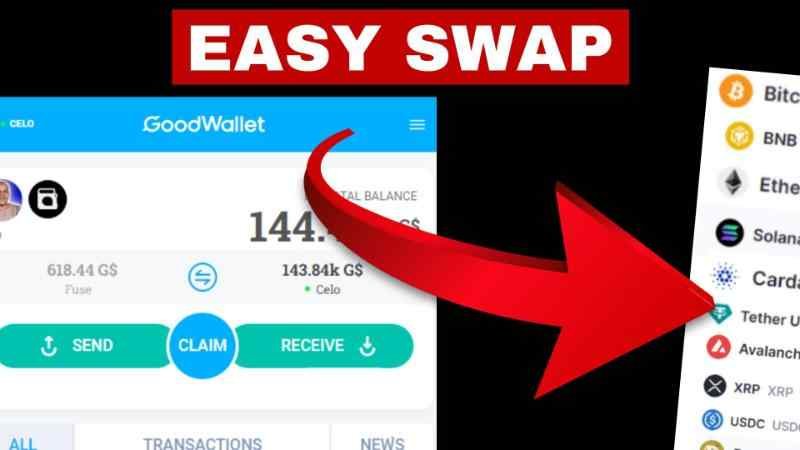
Tired of holding GoodDollar (G$) tokens and want to diversify your crypto portfolio? Look no further! This comprehensive guide will show you exactly how to swap your G$ tokens for various cryptocurrencies like CELO, USDT, TRX, BNB, and more, using GoodDapp, a convenient tool within the GoodDollar Wallet.
This article goes beyond just swapping G$ for CELO (although we’ll cover that in detail too!). We’ll explore everything you need to know about GoodDollar swaps, including:
- What is GoodDollar and GoodDapp?
- Supported cryptocurrencies for swapping with G$ tokens
- Step-by-step guide to swapping G$ tokens using GoodDapp (with video demonstration)
- Important considerations before swapping your G$ tokens
By the end of this guide, you’ll be confidently swapping your G$ tokens for the crypto of your choice!
How to Swap GoodDollar for Any Cryptocurrency [Using GoodDapp]
What is GoodDollar and GoodDapp?
GoodDollar is a unique platform that distributes a small amount of G$ tokens daily to its members. GoodDapp, a decentralized application (dApp) built into the GoodDollar Wallet, empowers you to manage your G$ tokens and swap them for other cryptocurrencies.
Supported Cryptocurrencies for Swapping with G$ Tokens
GoodDapp allows you to swap your G$ tokens for a variety of cryptocurrencies, including:
- CELO: The native token of the CELO Network, known for its fast and inexpensive transactions. (This article will showcase the G$ to CELO swap process in detail)
- USDT (Tether): A stablecoin pegged to the US dollar, offering price stability.
- Tron (TRX): A popular blockchain platform known for its smart contract capabilities.
- Binance Coin (BNB): The native token of the Binance cryptocurrency exchange, offering various benefits within the Binance ecosystem.
- Many more: With the ever-evolving crypto landscape, additional tokens might be supported by GoodDapp in the future.
How to Swap G$ Tokens Using GoodDapp (Step-by-Step Guide with Video Demonstration)
To visually guide you through the swapping process, a video demonstration is included at the end of this section. Here’s a step-by-step breakdown:
- Access GoodDapp: Open the GoodDollar Wallet app and navigate to the GoodDapp section.
- Connect GoodWallet: Ensure your GoodWallet is connected to GoodDapp for a seamless swapping experience.
- Select Swap Option: Look for the “Swap” or similar functionality within GoodDapp.
- Choose Tokens: Select “G$” as the token you’re giving away and choose your desired cryptocurrency (e.g., CELO, USDT, TRX, BNB) as the receiving token.
- Enter Swap Amount: Decide how much G$ you want to swap. You can even choose to swap your entire G$ balance by clicking “Max.”
- Review Swap Details: GoodDapp will display an estimated exchange rate and the amount of the chosen cryptocurrency you’ll receive.
- Approve Swap: Carefully review the swap details. If everything looks good, proceed with the swap by confirming the transaction.
- Network Fees: Be aware that there might be network fees associated with the swap. GoodDapp will typically display the estimated fee amount before confirmation.
- Wallet Approval: Your GoodWallet might prompt you to approve the swap transaction. Follow the on-screen instructions to complete the approval.
- Swap Completion: Once approved, the swap will be processed, and your chosen cryptocurrency will be deposited into your GoodWallet.
Important Considerations Before Swapping Your G$ Tokens
- Market Volatility: Cryptocurrency prices fluctuate constantly. Consider market conditions before swapping your G$ tokens to ensure you’re getting a good exchange rate.
- Network Fees: Be mindful of network fees associated with swapping. These fees can vary depending on the chosen cryptocurrency and network congestion.
- Transaction Confirmation Times: Swapping transactions might take some time to complete, depending on network traffic.
- Security: Always ensure you’re using the official GoodDollar Wallet and GoodDapp to avoid scams.
Conclusion: Swap GoodDollar Token (G$) to ANY Crypto
With GoodDapp, swapping your GoodDollar tokens for various cryptocurrencies is a breeze! This guide has equipped you with the knowledge and steps to navigate the swapping process confidently. Remember to do your own research (DYOR) on the chosen cryptocurrency before swapping to make informed investment decisions.
By leveraging GoodDapp, you can unlock the potential of your G$ tokens and explore the exciting world of cryptocurrency!pen_sparktunesharemore_vert

John Ajiboye
Founder, ASK JOFA Digital · Creator of ASK JOFA Fintech · Architect of LAAS™
John Ajiboye is a digital marketing strategist, former institutional banker with 19+ years of experience, and founder of ASK JOFA Digital. Holding an M.Sc. in Computer Science, he combines deep financial discipline, technical architecture, and video marketing to build predictable lead-acquisition engines.
John is the creator of ASK JOFA, a leading fintech education platform and YouTube channel with over 31,000 subscribers. His channel provides step-by-step tutorials on digital finance, payment gateways, hardware wallets, and crypto platforms. He has executed successful content and acquisition campaigns for international brands including AirTM, Bybit, Gate.io, OneKey, ApexPay, PST, and Spend.Net.
Building on his success with organic search and video marketing, John developed LAAS™ (Lead Authority & Acquisition System)—a framework designed to help SMEs, consultants, and professionals build multi-channel visibility across YouTube, search engines, AI answer engines (AEO/GEO), and LinkedIn.
Through ASK JOFA Digital, John transforms expertise into automated media assets that attract high-intent leads and build lasting market trust—without relying on short-lived ad spend or social media virality. His systems are engineered to produce clear, actionable outcomes: helping professionals Get Hired™, consultants Get Clients™, and SMEs Get Customers™.